
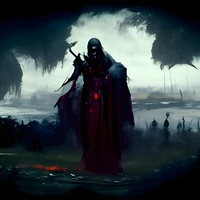
model by ShadoWxShinigamI
It can be used by adding in the style of mdjrny-grfft to the end of your prompt. (Token is mdjrny-grfft, but since the weight is too strong (over trained text encoder), using the full sentence can help in better style transfer (YMMV)).
NO PROMPT ENGINEERING REQUIRED.
Trained On TheLastBen Repo Fast Method :- (https://colab.research.google.com/github/TheLastBen/fast-stable-diffusion/blob/main/fast-DreamBooth.ipynb).
And you can run your new concept via diffusers: Colab Notebook for Inference, Spaces with the Public Concepts loaded
Examples :-
Human :-
Eminem

Taylor Swift

Son Goku

Dwayne Johnson

Creatures :-
Dragon

Alien

Werewolf

Zombie

Animals/Birds
Tiger

Lion

Eagle

Butterfly ( I know it's neither an animal/bird )

Objects - Semi Reliable ( Have to Cherry Pick. Usually 1 in 3 will be good )
Cyberpunk Car

Basket Ball

Water Bottle

Airplane

Try adding weights if your prompt doesn't work. All the best!!
- Downloads last month
- 151