Instructions to use abdul004/pi05_so101_checkpoint with libraries, inference providers, notebooks, and local apps. Follow these links to get started.
- Libraries
- LeRobot
How to use abdul004/pi05_so101_checkpoint with LeRobot:
- Notebooks
- Google Colab
- Kaggle
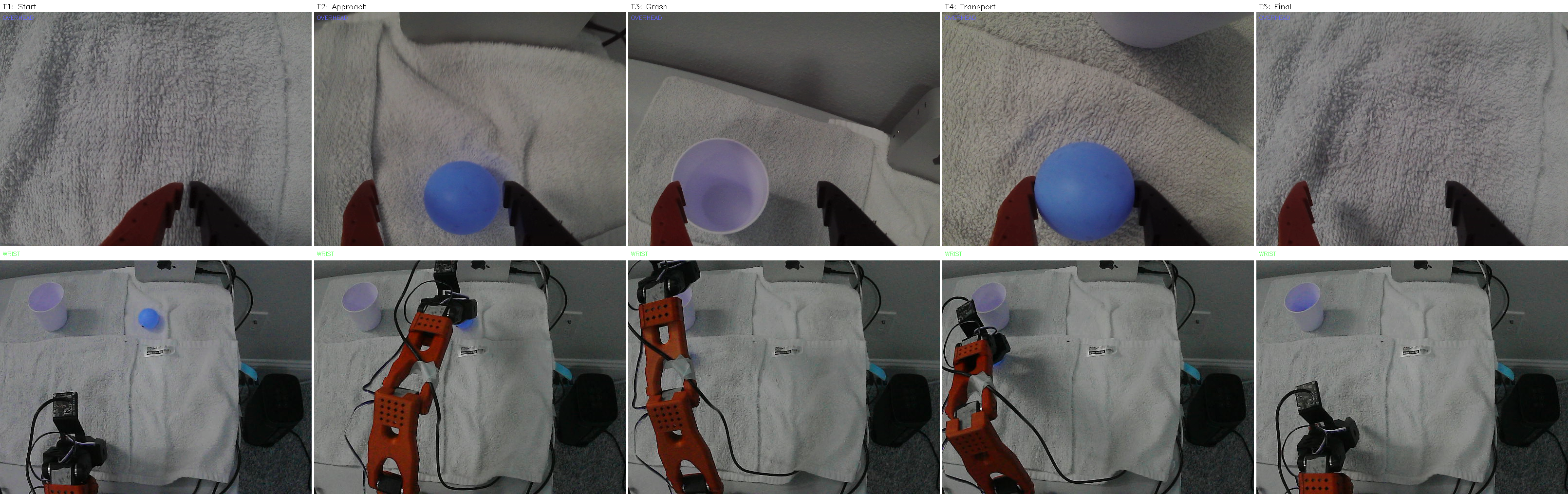
Download eval_composite_jpeg.png from abdul004/pi05_so101_checkpoint: direct link, hf CLI and curl.
- Browser
- Download file 5.28 MB
-
https://huggingface.co/abdul004/pi05_so101_checkpoint/resolve/main/eval_composite_jpeg.png
- Command line
-
hf download hf://abdul004/pi05_so101_checkpoint/eval_composite_jpeg.png
-
curl -L -o eval_composite_jpeg.png https://huggingface.co/abdul004/pi05_so101_checkpoint/resolve/main/eval_composite_jpeg.png
5.28 MB

- Xet hash:
- c33fa8ff4553a9b26dd948ecb92c1b47dc950a85ad254f01c130dc760c93279a
- Size of remote file:
- 5.28 MB
- SHA256:
- 2be67988fad13d9bb7f564bee8cccbd519b1b8322aff515d6f158d6ea5895c40
·
Xet efficiently stores Large Files inside Git, intelligently splitting files into unique chunks and accelerating uploads and downloads. More info.